
How to Complete and Access your Woolworths Group Induction
Made by Support Site360 with Scribe
This guide shows how to access and complete the Woolworths Group inductions in the Woolworths Group Visitor App, explains the required “induction seat” assignment, and how completed inductions and expiry dates appear on your Our Place Induction Card and where to get technical support.
Please note: Inductions are linked to the work services selected in your workplace's Risk Profile.
Your workplace must assign you an induction seat before you can access and complete the required inductions within the Woolworths Group Visitor App.
Once an induction seat has been assigned, the induction will become available in Woolworths Group Visitor App for you to complete.
Completing Inductions
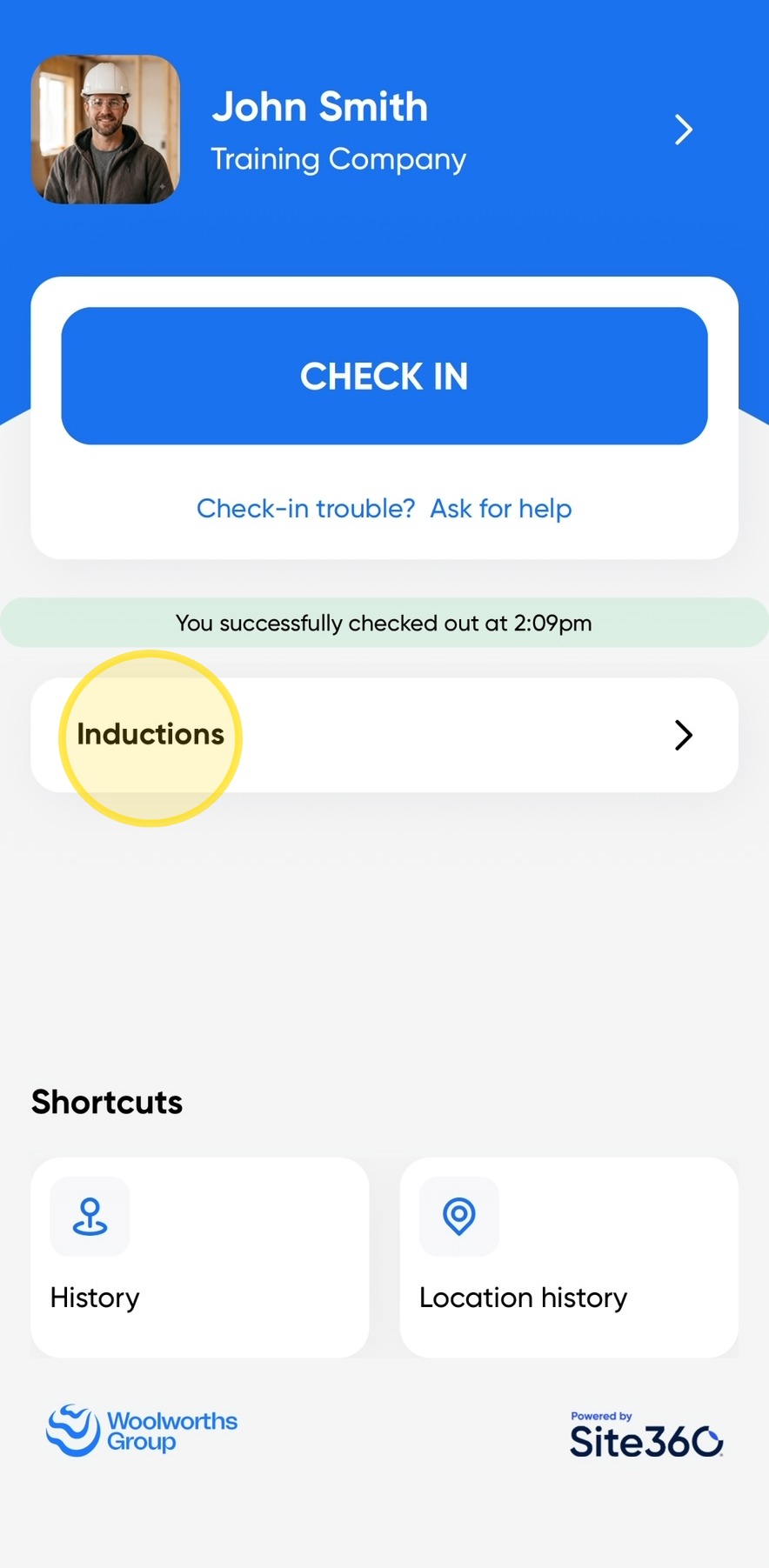
1. Open the Woolworths Group Visitor App on your device, then click Inductions.
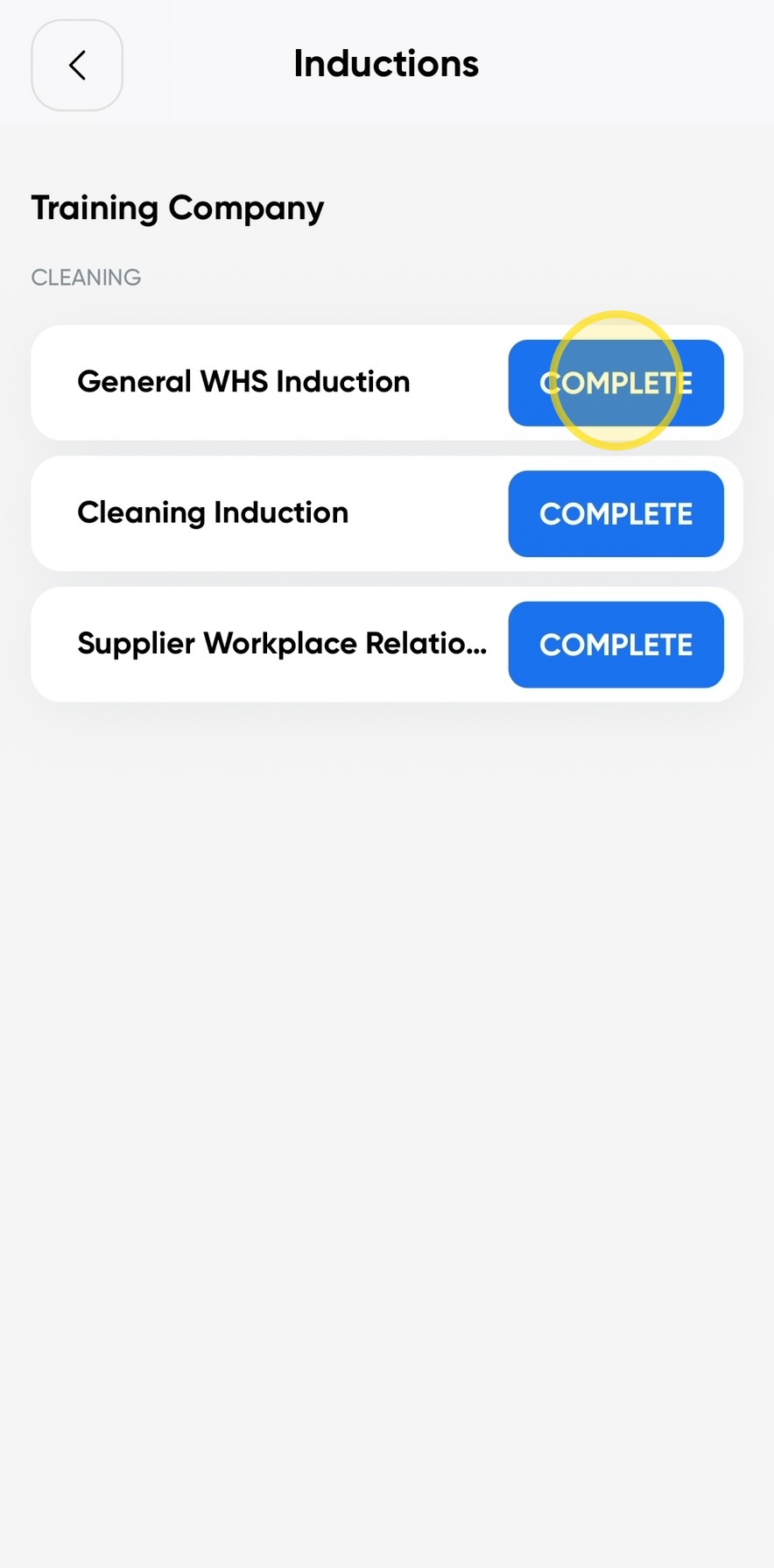
2. Click Complete to start the induction.
Please note: If the induction status shows Not Assigned, you will need to contact your workplace and request that an induction seat be assigned to you.
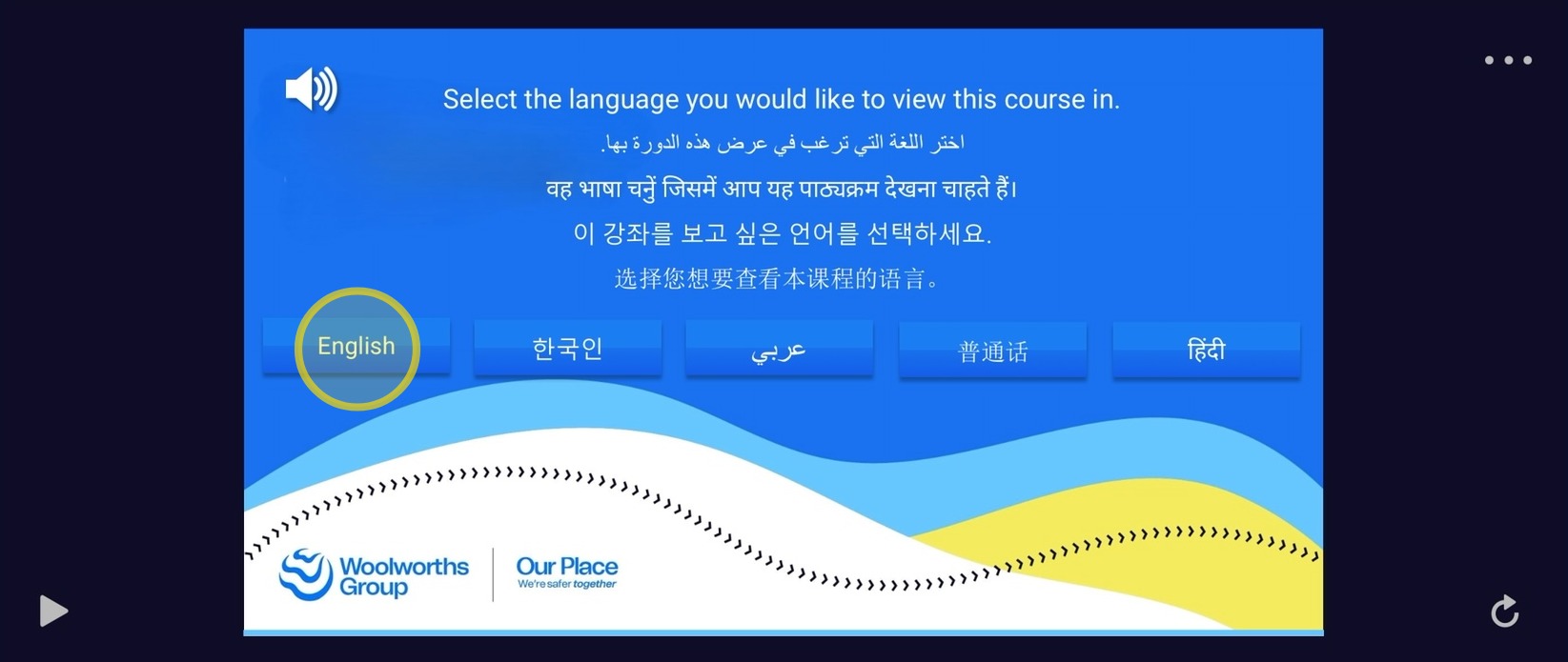
3. Select the language you would like to view the induction in by clicking on your preferred language.
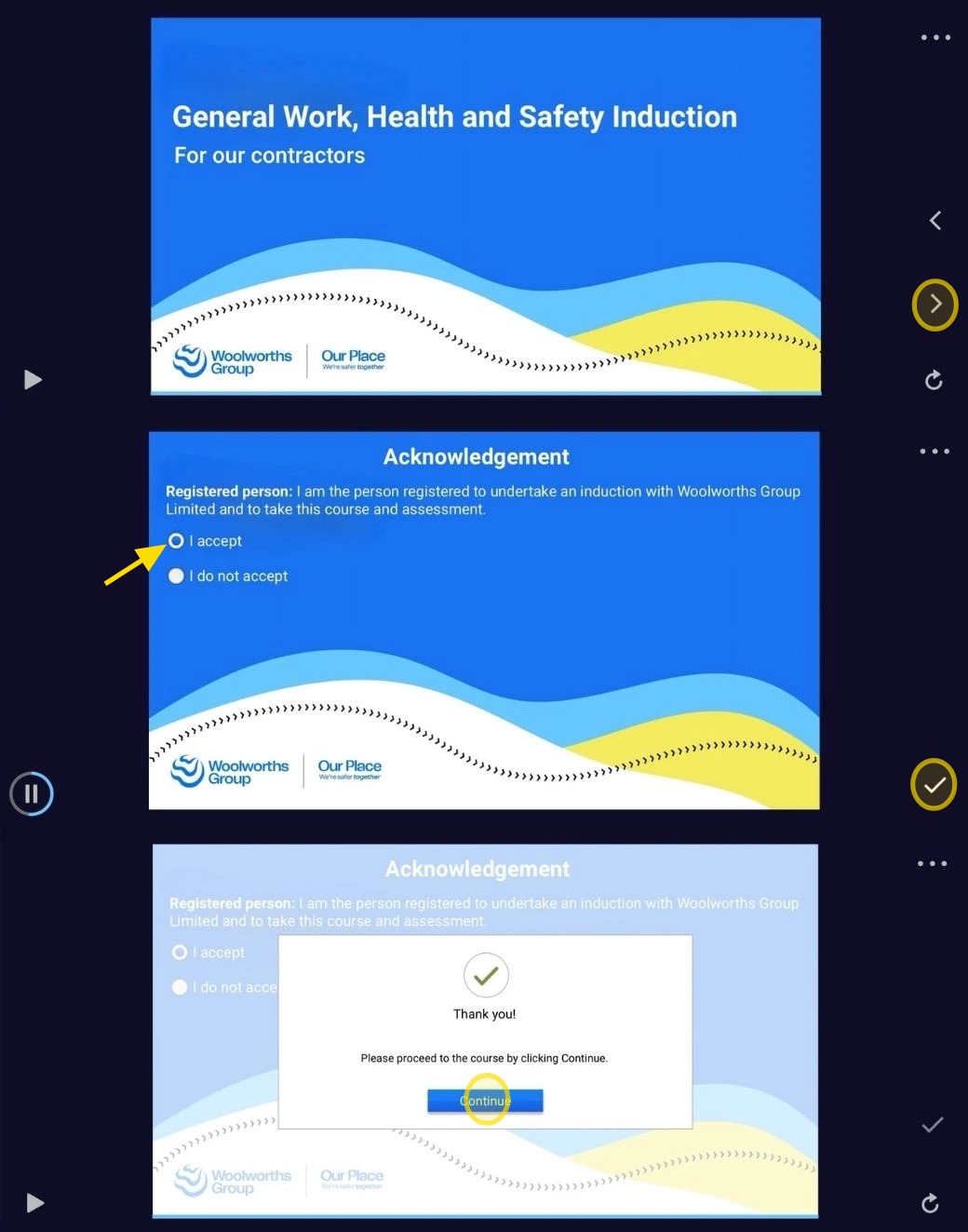
4. Click the next arrow to proceed through the induction.
Read the information presented, select I Accept, and then click the tick icon to acknowledge and accept the terms.
Once completed, click Continue to move to the next section of the induction.
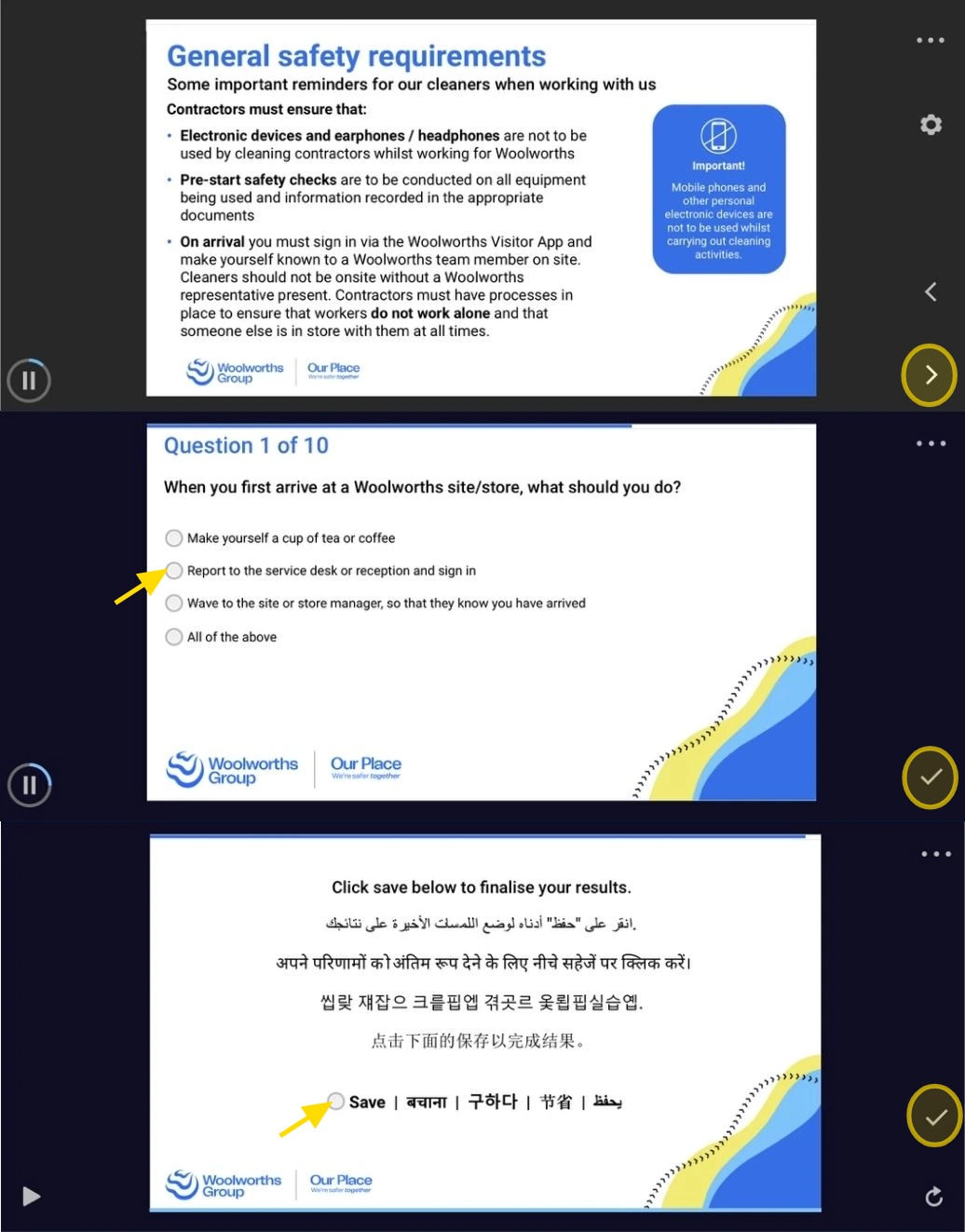
5. Read each page carefully, then click the next arrow to move to the next slide.
When prompted, answer the questions by clicking the Dot next to your chosen answer.
Once you have successfully completed all questions correctly, click the Dot next to Save, then click the tick icon to finish the induction.
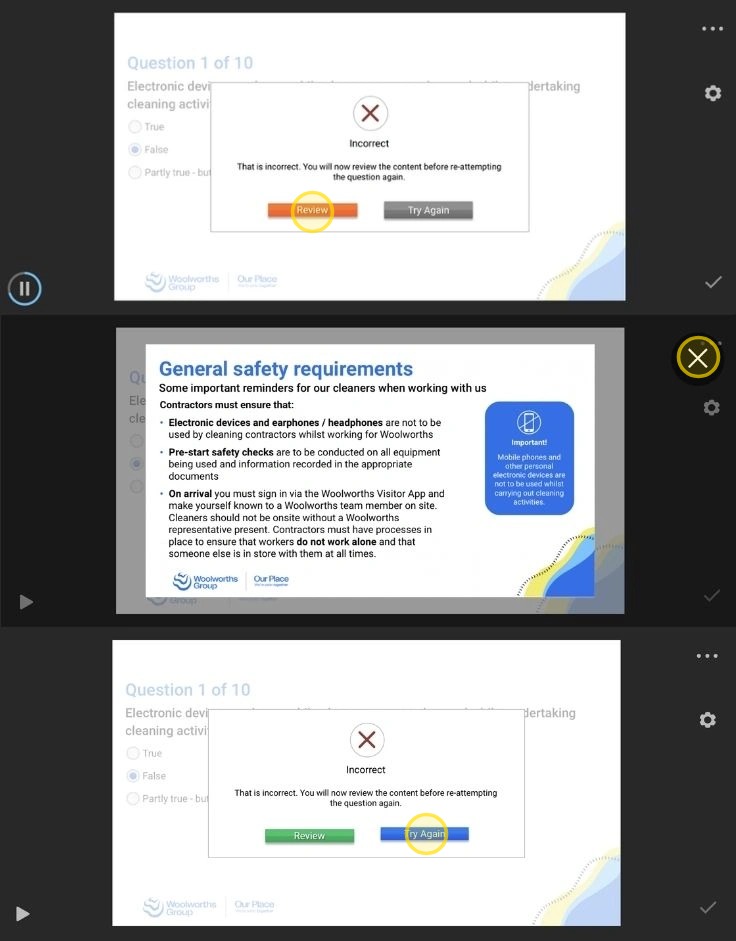
6. If you answer a question incorrectly, click Review to revisit the information related to that question.
Once you have reviewed the content, click the X to close the review screen, then click Try Again and select your updated answer.
Please note: All completed inductions will be displayed under the Our Place Induction Card, along with their corresponding expiry dates.
You will not receive an email confirmation once an induction has been completed.
Access your Our Place Induction Card
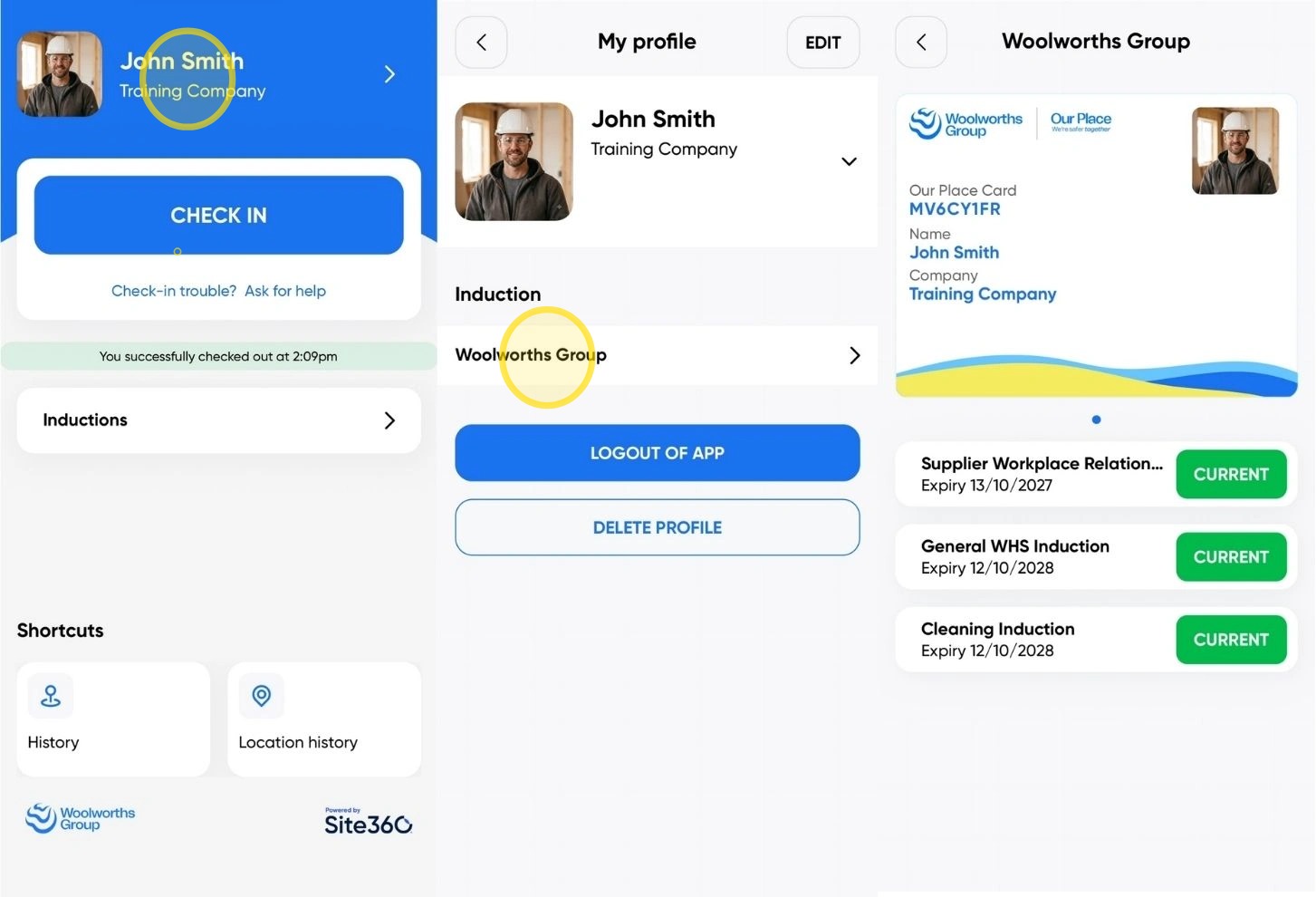
7. To access your Our Place Induction Card, open the Woolworths Group Visitor App and tap your name at the top of the screen.
Under the Inductions section, select Woolworths Group.
Your Our Place Induction Card will be displayed, showing all completed inductions along with the expiry dates.
Woolworths Group Visitor App
Technical Support
If you require help and guidance, you can find more helpful guides on the Help & Resources page found on the wowcontractor.com website, alternatively please contact the support team at Site360.
Phone - AUS 1300 853 990 | NZ 0800 115 710
Email - support@site360.io


