
Profile Validation in the Woolworths Group Visitor App
Made by Support Site360 with Scribe
If your company provides trolley collection or cleaning services to Woolworths, individual workers must complete ID verification. This can be completed through the Woolworths Group Visitor App using biometric verification, or workers may request a manual verification process.
Please note: For information about how your personal information is handled, please refer to our Privacy Policy. All identity documents used for verification are securely disposed of by Site 360 within 30 days of being collected.
Validating your Profile
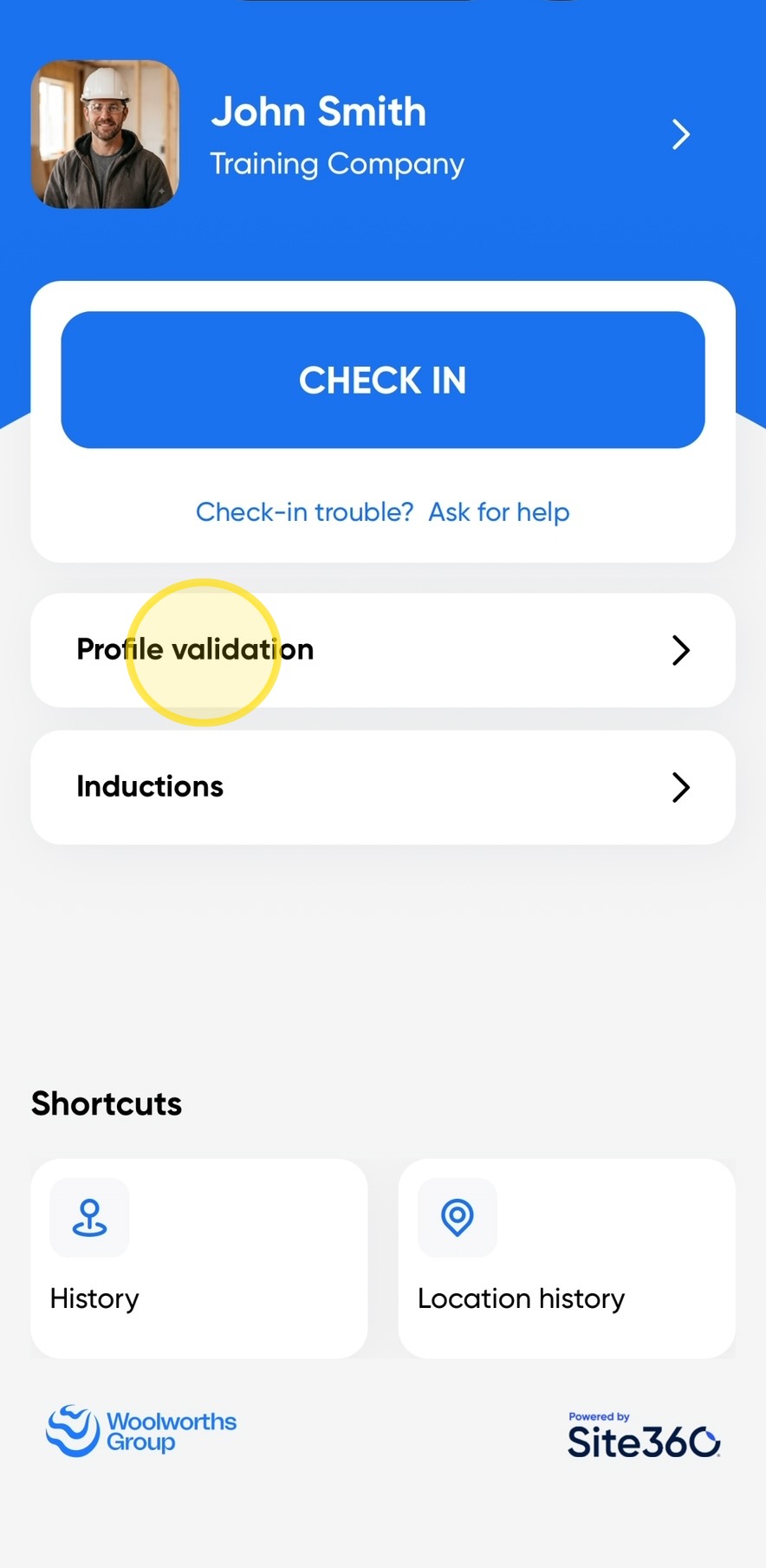
1. Open the Woolworths Group Visitor App on your device, then click the Profile Validation option on the home screen.
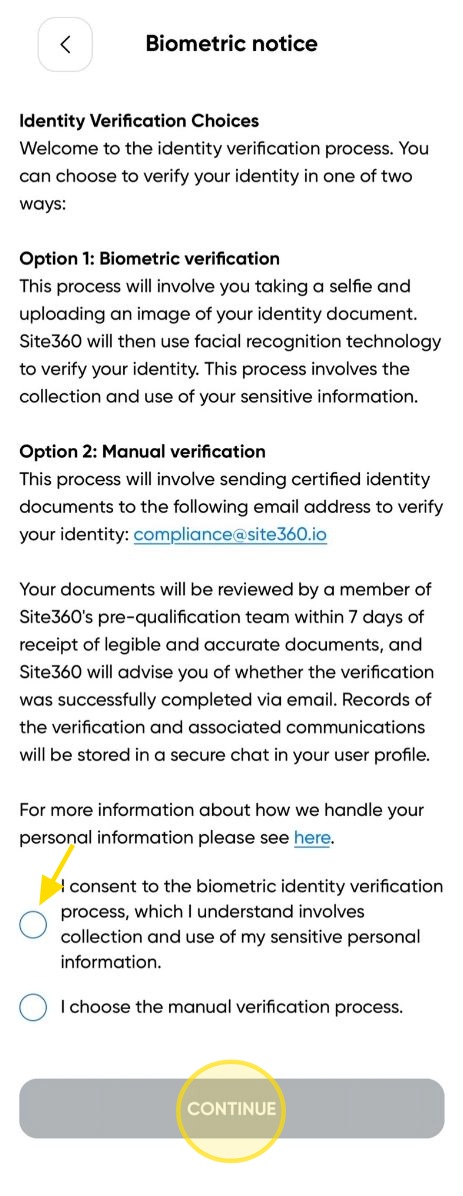
2. Read the Biometric Notice and decide whether you would like to complete Biometric Verification or Manual Verification.
- If you choose Biometric Verification, click the dot next to the Biometric option, then click Continue.
- If you choose Manual Verification, click the Back arrow and email your identification documents to compliance@site360.io for manual processing.
Please note: Manual verification may take longer to complete than biometric verification. Your documents will be reviewed by a member of Site360's Pre-Qualification Team within 7 days of receiving clear, legible, and accurate documentation. You will be notified by email whether your identity verification has been successfully completed.
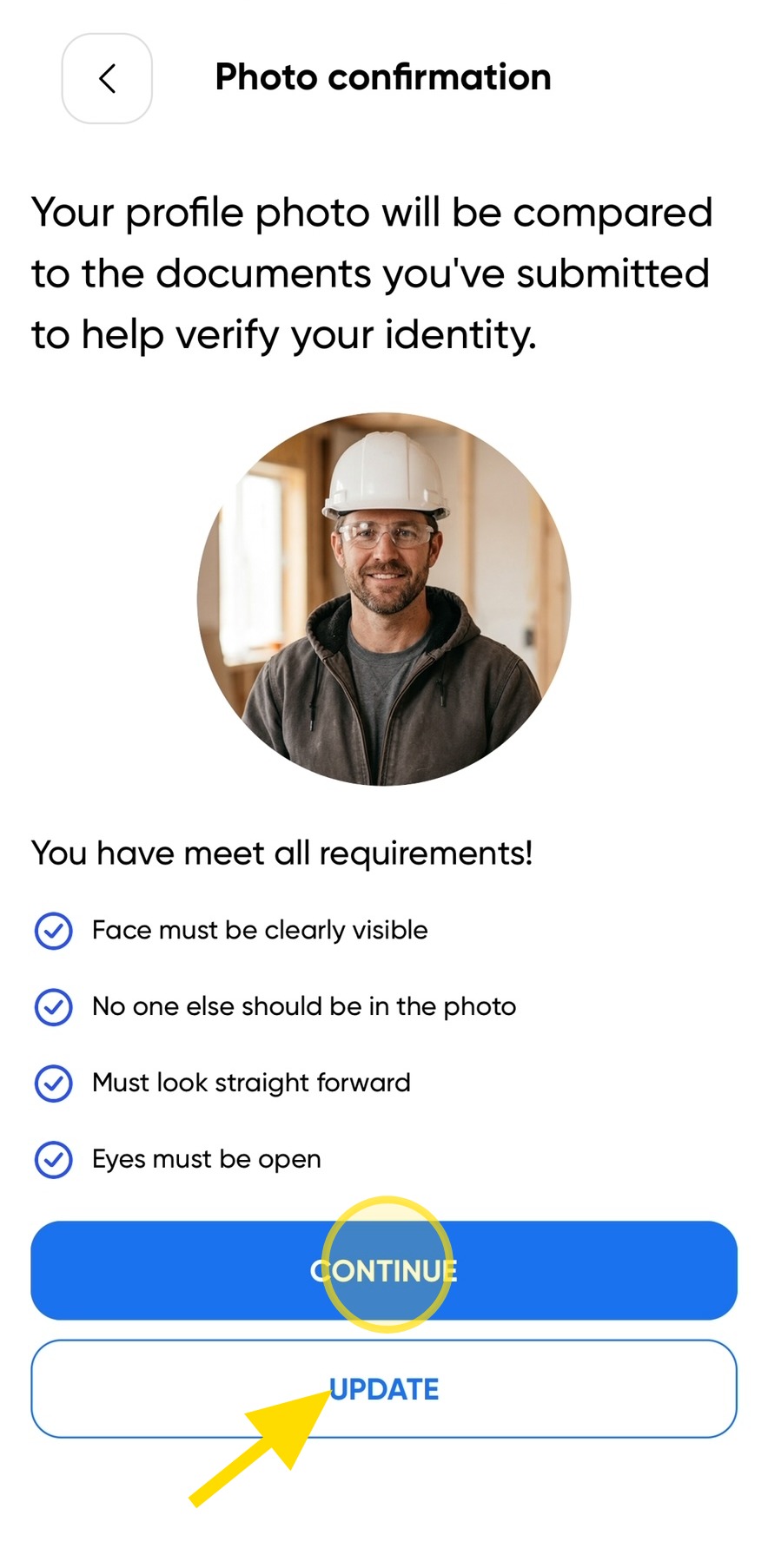
3. Your identification will be compared with your profile photo to verify your identity.
- To use your existing profile photo, click Continue.
- To use a different photo, select Update Photo and upload a new image before continuing.
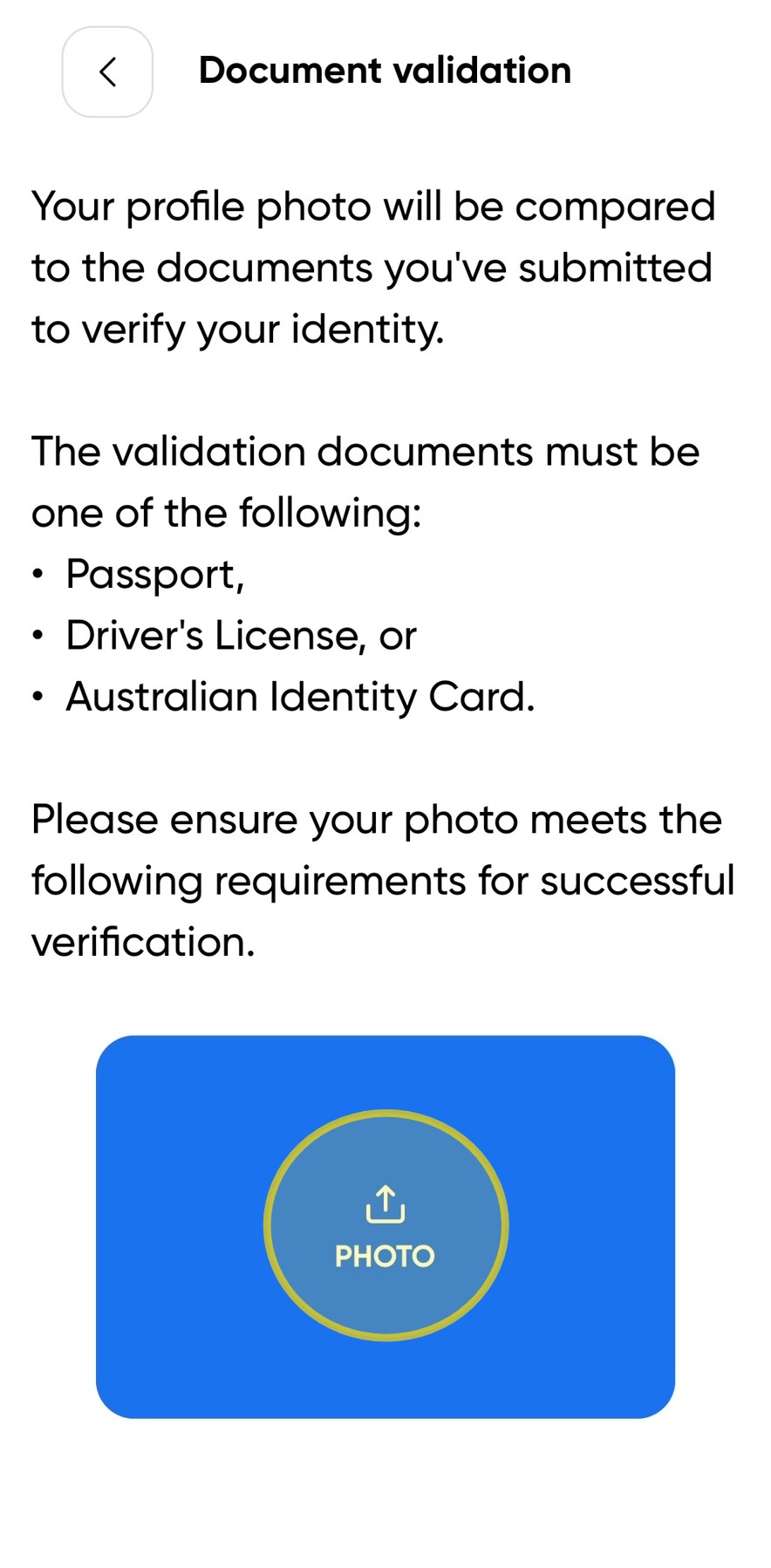
4. You will need to upload a photo of your identification. Click the blue square labeled "Photo" to take or upload a photo of your ID.
Please note*: you will need to request manual verification if your ID document is Australian issued ImmiCard or an Australia Post Keypass ID.*
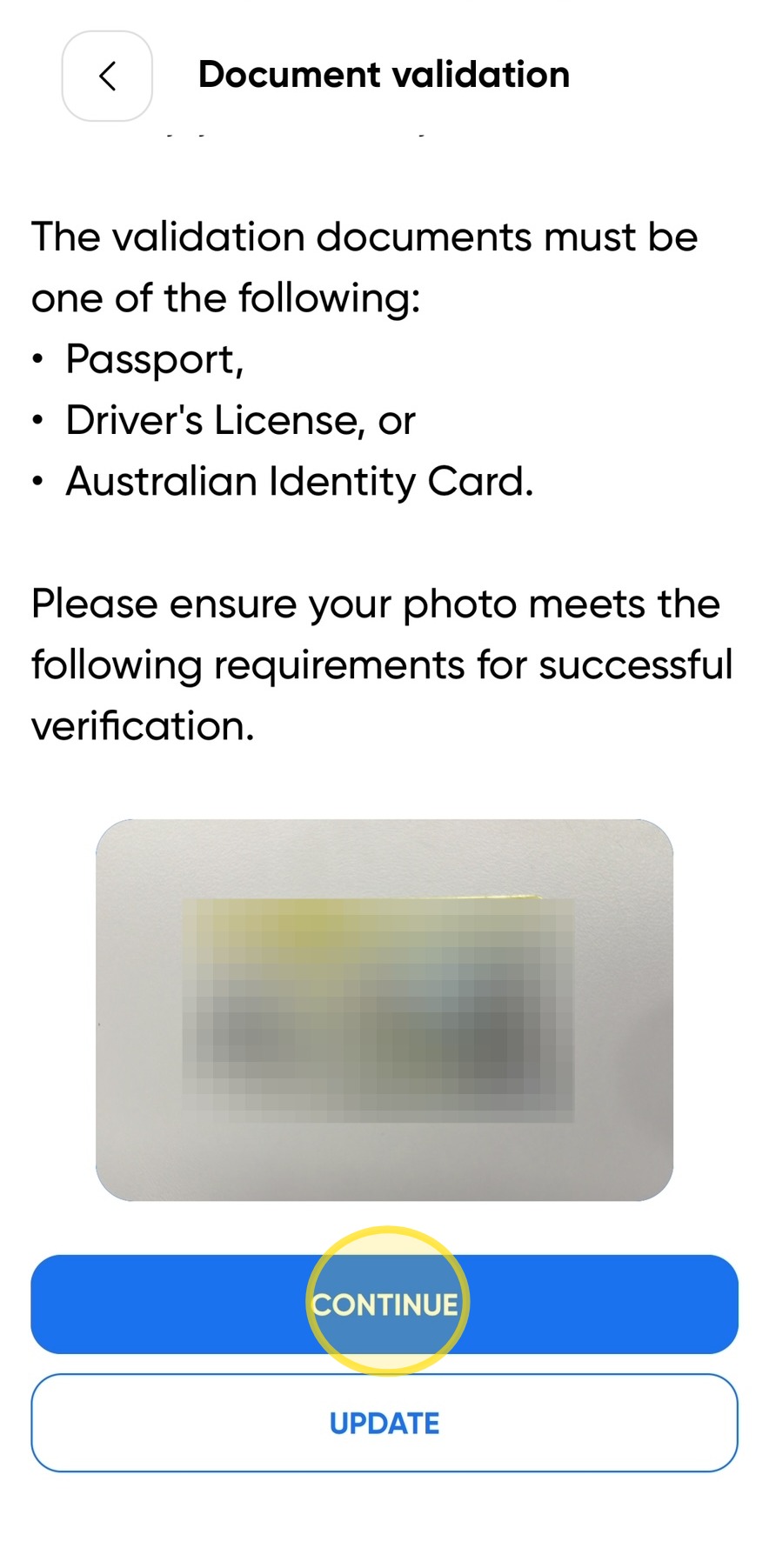
5. Once you have taken or uploaded a photo of your identification, click Continue to proceed.
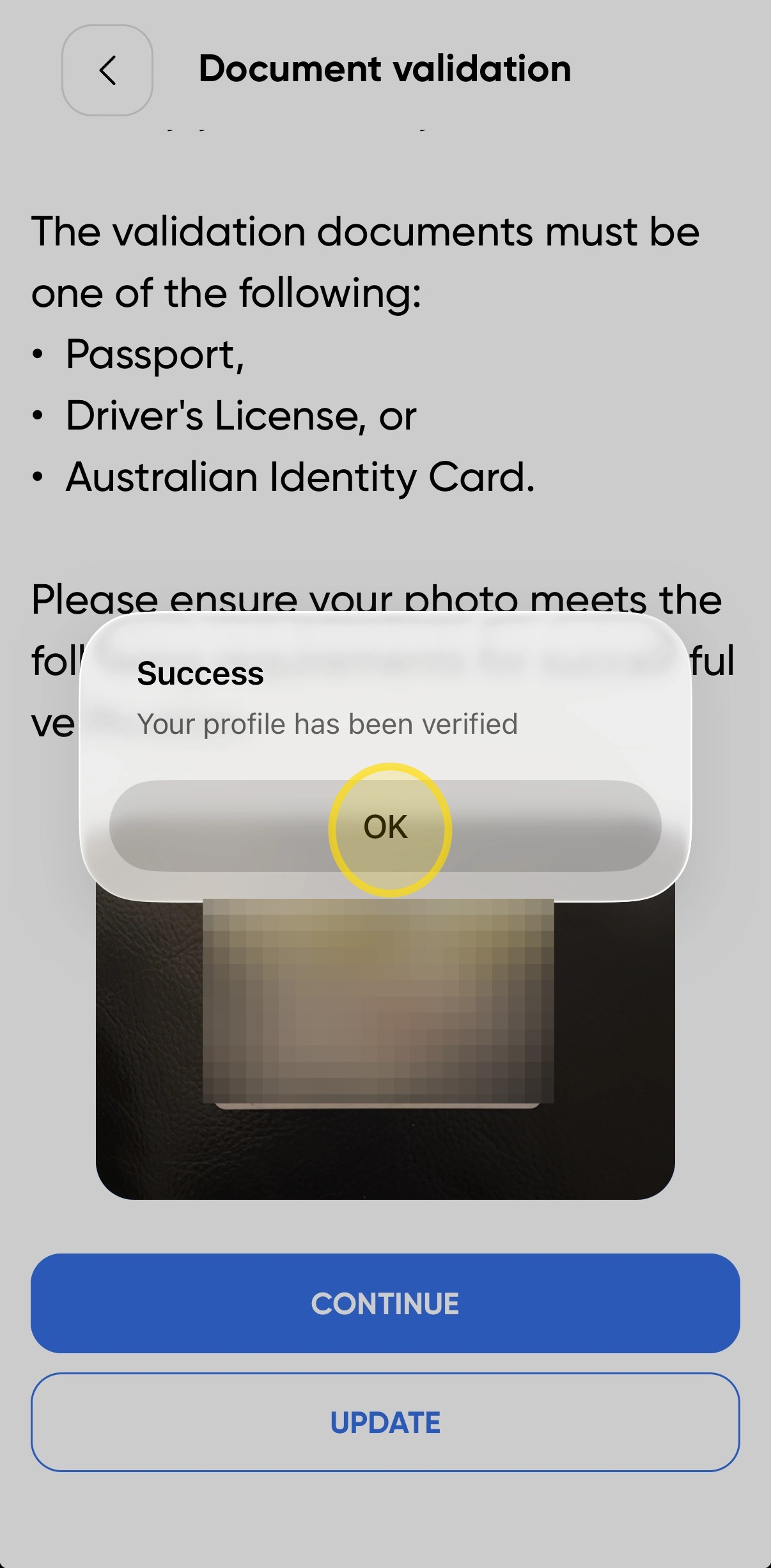
6. If your validation is successful, a notification will appear confirming that your identity has been verified successfully.
Click OK to close the validation process.
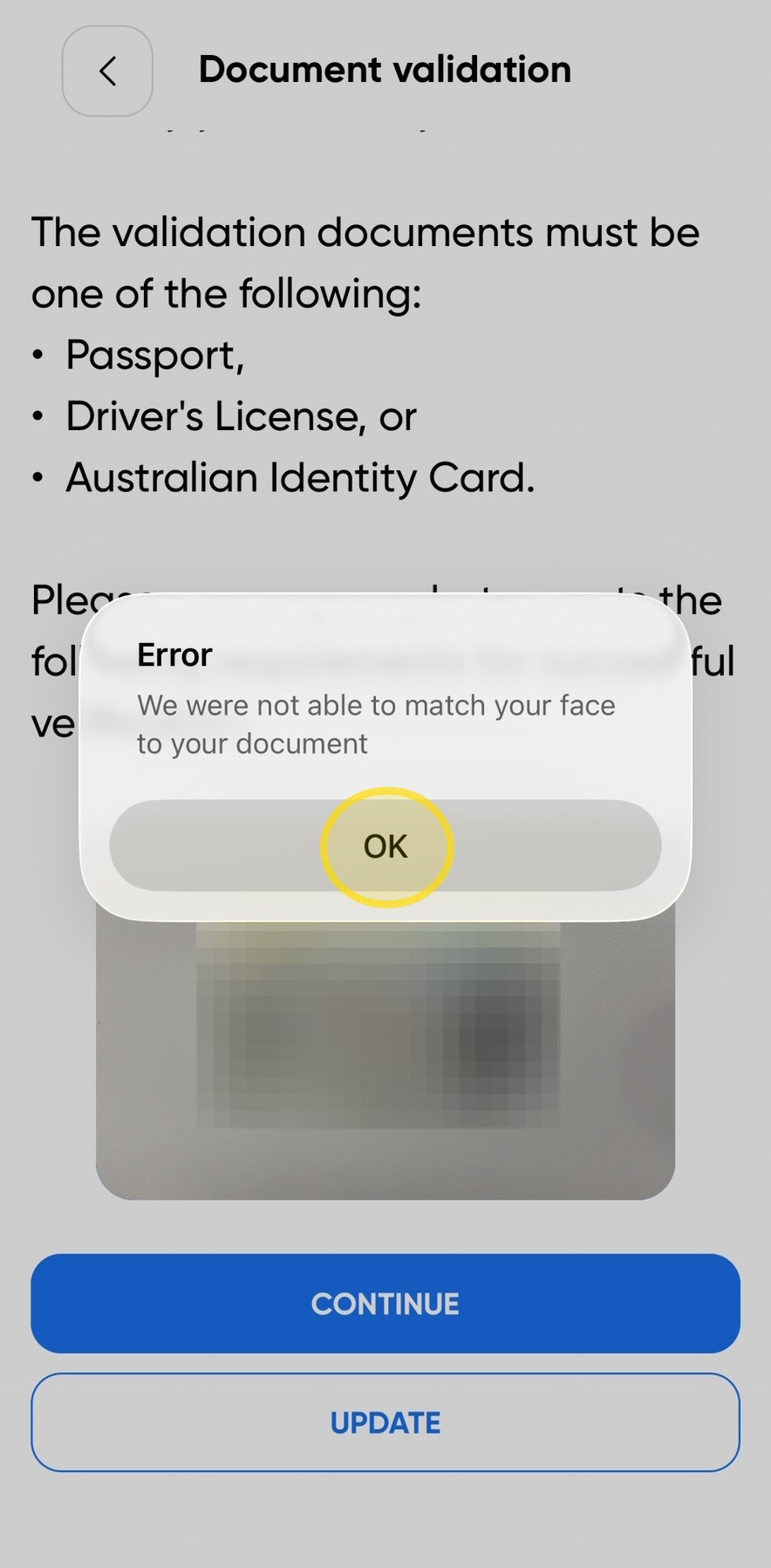
7. If your validation is unsuccessful, a notification will appear advising that your identity check was not successful.
Click OK, then either try again or email your identification documents to compliance@site360.io for manual verification.
Woolworths Group Visitor App
Technical Support
If you require help and guidance, you can find more helpful guides on the Help & Resources page found on the wowcontractor.com website, alternatively please contact the Support team at Site360.
Phone - AUS 1300 853 990 | NZ 0800 115 710
Email - support@site360.io


