
Uploading a Safe-In Store Pass in the Woolworths Group Visitor App
Made by Support Site360 with Scribe
This guide shows how to quickly link your Safe‑In‑Store Pass to your Woolworths Group Visitor App so you can present and access it digitally. It explains the exact app navigation, where to enter your card number and expiry, and how to validate the pass. It also points to support resources and contact details if you need help.
Uploading your Safe-In Store Pass
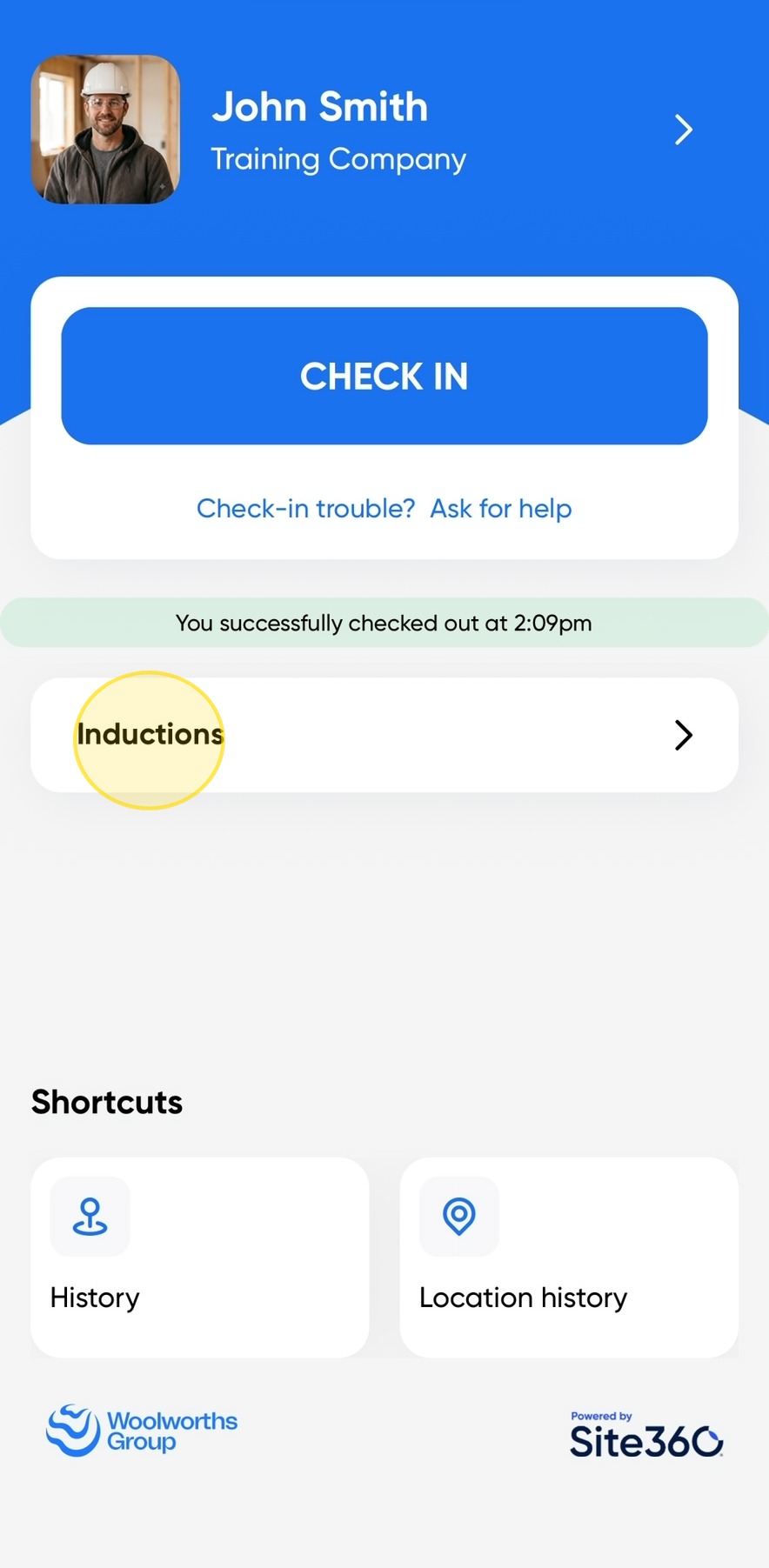
1. Open the Woolworths Group Visitor App on your device, then click Inductions.
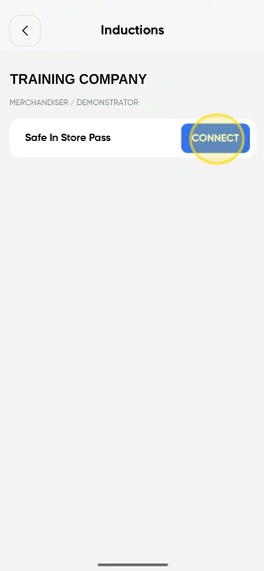
2. Click Connect next to Safe In Store Pass.
This will begin the process of linking your Safe In Store Pass to your profile.
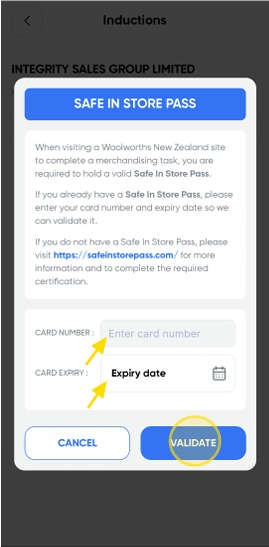
3. Enter your Card Number and Expiry Date, then click Validate.
You Safe-In Store Pass will now be available in your Woolworths Group Visitor App New Zealand
Woolworths Group Visitor App

Technical Support
If you require help and guidance, you can find more helpful guides on the Help & Resources page found on the wowcontractor.com website, alternatively please contact the Support team at Site360.
Phone - 0800 115 710
Email - support@site360.io


